
Kanji Splash Draw
Now this is a feature that kind of was in the background of the whole app from the beginning, but I pushed it back because I thought it could be bit too tricky to implement, and didn’t know what kind of user experience it would be. Then I got an idea how to cheat a bit and make it kind of work. And it really turned out nicely.
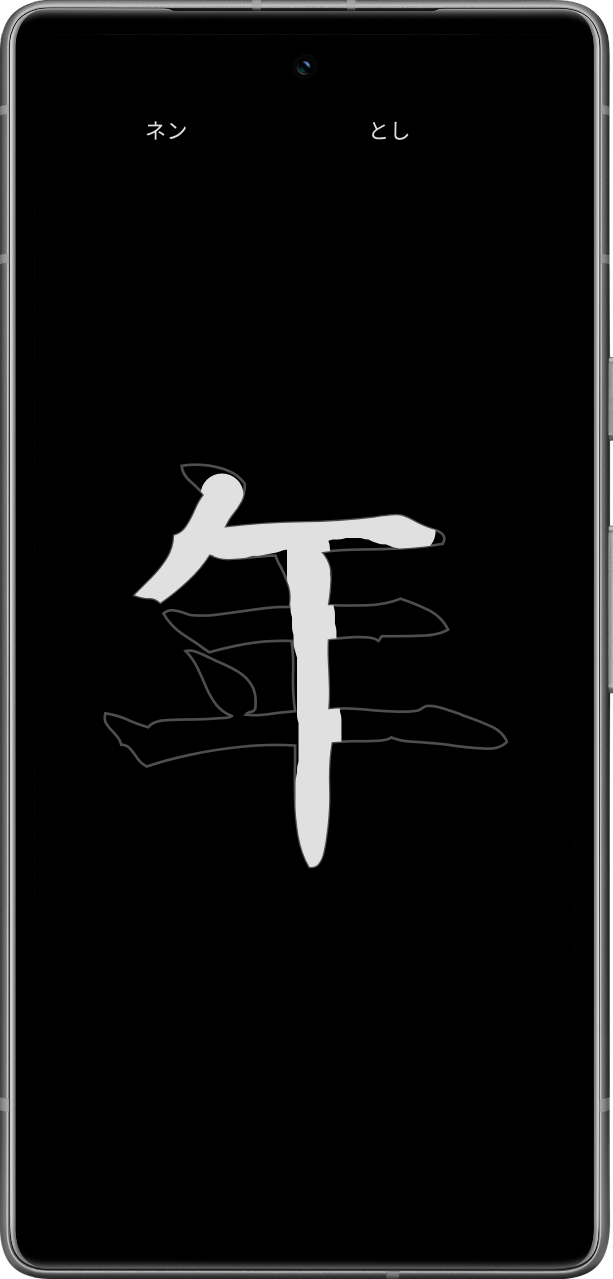
The draw mode does not try to interpret any strokes, that would frustrate anyone trying to learn. It also does not require you to use the correct stroke order, so that is something you need to learn from somewhere else. But that is not the idea anyways, the splash screen is not meant to be a lock you must solve, but something fun to help you learn.
You can configure the draw as a splash screen or practice in the viewer. Also, now you can configure splash to occur before your lock screen if you want to. It can take a bit of getting used to though. The splash screen cannot be a real security lock itself - that would not be much of a security and would still require a security permissions that I really don’t want to include in the app.
Give it a try, it could be useful if you are trying to learn actually writing the kanji, it is also great for memorizing them.
Keep on learning, and I keep on making the app better for you.